
Maximum Flexibility: ThinPrint Hub Now with Wi-Fi
New in ThinPrint Hub 2.4.20
The ThinPrint Hub becomes even more versatile: It now supports Wi-Fi connections – for true plug & play across all your locations. Simply plug in the power cable, connect to Wi-Fi – and you're ready to go. The perfect solution for branches with minimal infrastructure or sites without LAN connectivity.

The new ThinPrint Hub offers maximum flexibility.
The Benefits
Quick deployment without hassle: Connect the power cable, establish Wi-Fi connection – done. No Ethernet cable required.
Flexible for any location: Ideal for production facilities and warehouses, construction sites, pop-up stores, or temporary workspaces – anywhere a wired connection isn't available.
Connect all printer types: Whether via LAN, USB, or Wi-Fi – the Hub supports all common connection methods for maximum compatibility.
Full data control: Your print data remains entirely within your on-premise infrastructure. You maintain complete control.
The Easiest Way to Centrally Manage Your ThinPrint Hubs
New in ThinPrint Hub 1.16
ThinPrint Hub 1.16 now allows you to take advantage of the ThinPrint Remote Management solution for ThinPrint Hubs. This provides you with a central management console for conveniently managing all your ThinPrint Hubs and/or Personal Printing Release Stations over the cloud, ensuring that you can easily make changes to your Hubs, wherever they may be.
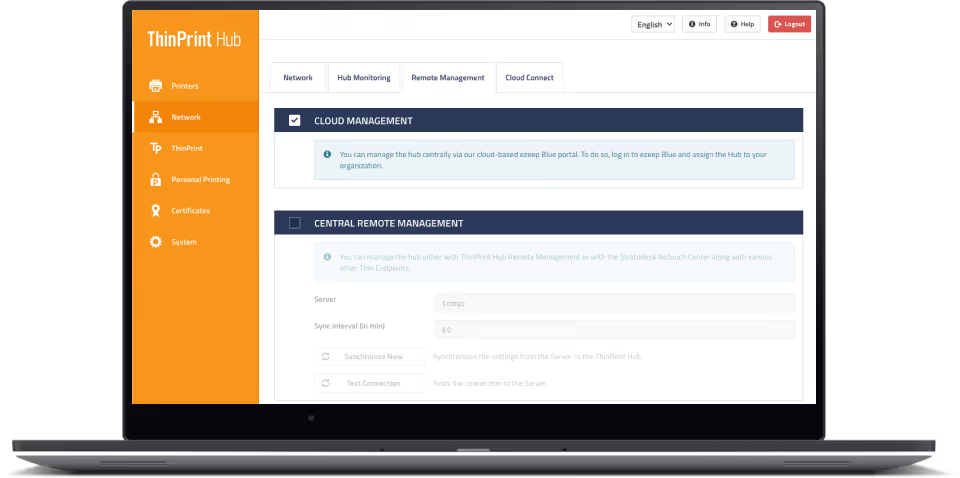
Connect your ThinPrint Hubs to the cloud in a few clicks to manage them remotely from any web browser.
The Benefits
Connect your ThinPrint Hubs to the cloud in a few clicks to manage them remotely from any web browser. No installations or configurations on site are required.
View your active configurations, change printers, provision new certificates or firmware and make further changes if needed
Setup is simple. Log in to the ThinPrint Hub Console and click on Cloud Management. Create an account with our cloud printing solution at ezeep.com and link your Hub with our remote management solution by entering the Mac Address, printed on the back of the Hub.
ThinPrint Hub Enterprise Services, incl. the Advanced Replacement Service, can be added as an annual subscription to the Hubs.
ThinPrint Hub Now Offers Cloud Printing
New in ThinPrint Hub 1.10
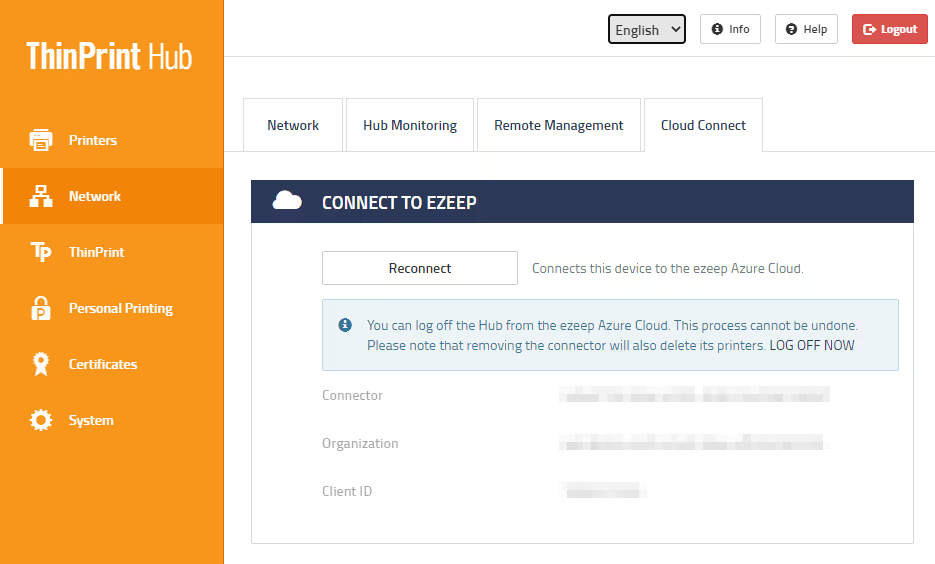
With ThinPrint Hub 1.10 and its new Cloud Connect feature, companies using Azure Virtual Desktop (formerly Windows Virtual Desktop) and ThinPrint can access the ezeep Azure cloud and experience true cloud printing with ezeep Blue.
The Benefits
Combine the speed and reliability of ThinPrint printing technology with the simplicity and flexibility of the ezeep cloud.
Connect your ThinPrint Hub to the ezeep Azure cloud and immediately make all printers available for cloud printing.
Print from remote desktops without additional infrastructure – benefit from driver free printing with ezeep cloud rendering.
All print traffic is automatically encrypted.