
Máxima flexibilidad: ThinPrint Hub ahora con Wi-Fi
Novedades en ThinPrint Hub 2.4.20
El ThinPrint Hub se vuelve aún más versátil: ahora es compatible con conexiones Wi-Fi, para que puedas conectarlo y usarlo en todas tus ubicaciones. Solo tiene que conectar el cable de alimentación, conectarse a la red Wi-Fi y listo. La solución perfecta para sucursales con una infraestructura mínima o sitios sin conectividad LAN.

El nuevo ThinPrint Hub ofrece la máxima flexibilidad.
Los beneficios
Despliegue rápido sin problemas: Conecte el cable de alimentación, establezca la conexión Wi-Fi y listo. No se requiere cable Ethernet.
Flexible para cualquier ubicación: Ideal para instalaciones de producción y almacenes, obras de construcción, tiendas emergentes o espacios de trabajo temporales, en cualquier lugar donde no haya una conexión por cable disponible.
Conecta todos los tipos de impresoras: Ya sea a través de LAN, USB o Wi-Fi, el Hub admite todos los métodos de conexión habituales para lograr la máxima compatibilidad.
Control total de datos: Sus datos de impresión permanecen completamente dentro de su infraestructura local. Usted mantiene un control total.
La forma más fácil de administrar centralmente sus centros de ThinPrint
Novedades de ThinPrint Hub 1.16
ThinPrint Hub 1.16 ahora le permite aprovechar la solución de administración remota de ThinPrint para ThinPrint Hubs. Esto le proporciona una consola de administración central para administrar cómodamente todos sus ThinPrint Hubs y/o Persona Print Release Stations a través de la nube, lo que garantiza que puede realizar cambios fácilmente en sus Hubs, estén donde estén.
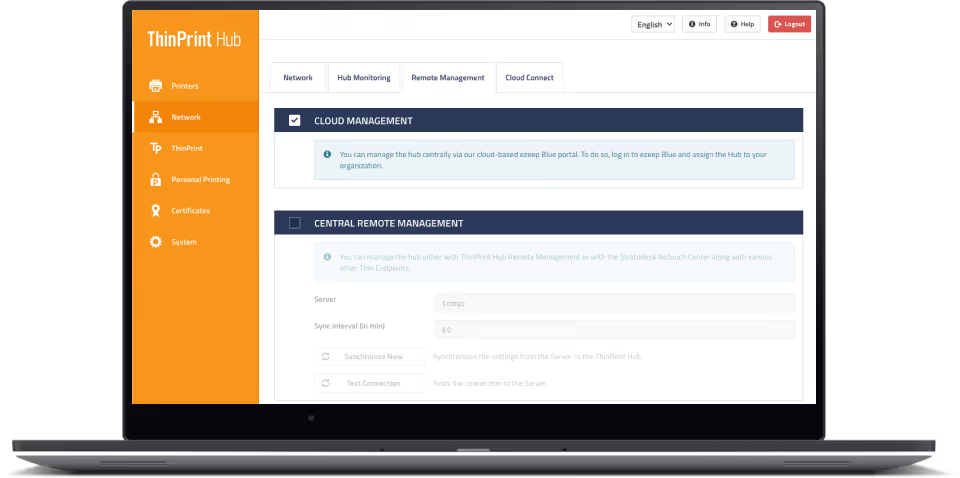
Conecte sus ThinPrint Hubs a la nube con unos pocos clics para administrarlos de forma remota desde cualquier navegador web.
Los beneficios
Conecte sus ThinPrint Hubs a la nube con unos pocos clics para administrarlos de forma remota desde cualquier navegador web. No se requieren instalaciones ni configuraciones in situ.
Vea sus configuraciones activas, cambie las impresoras, aprovisione nuevos certificados o firmware y realice más cambios si es necesario
La configuración es sencilla. Inicie sesión en la consola de ThinPrint Hub y haga clic en Administración de la nube. Cree una cuenta con nuestra solución de impresión en la nube en ezeep.com y vincula tu Hub con nuestra solución de administración remota introduciendo la dirección MAC, impresa en la parte posterior del Hub.
Los servicios empresariales de ThinPrint Hub, incluido el servicio de reemplazo avanzado, se pueden agregar como una suscripción anual a los Hubs.
ThinPrint Hub ahora ofrece impresión en la nube
Novedades en ThinPrint Hub 1.10
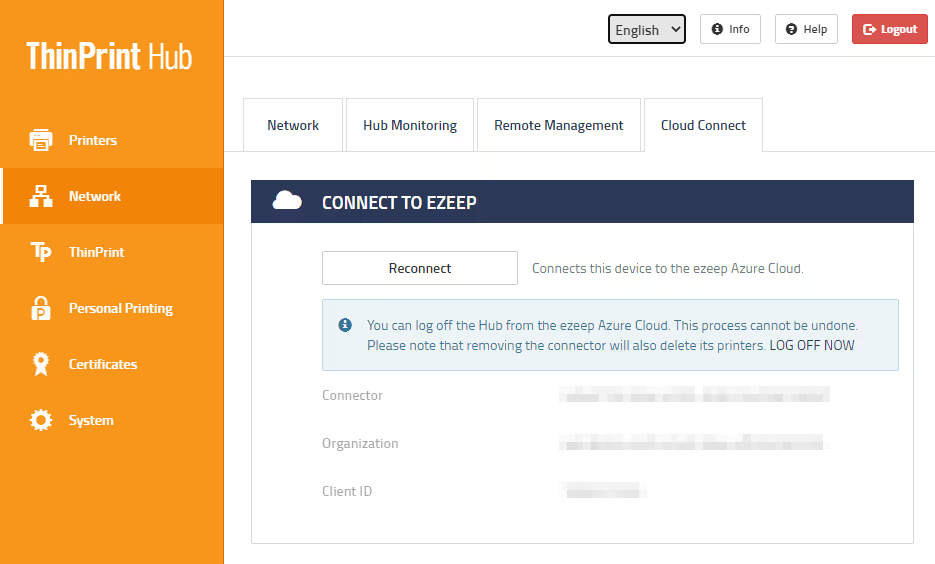
Con ThinPrint Hub 1.10 y su nueva función Cloud Connect, las empresas que utilizan Azure Virtual Desktop (anteriormente Windows Virtual Desktop) y ThinPrint pueden acceder a la nube ezeep Azure y experimentar una verdadera impresión en la nube con ezeep Blue.
Los beneficios
Combine la velocidad y la confiabilidad de la tecnología de impresión ThinPrint con la simplicidad y flexibilidad de la nube ezeep.
Conecte su ThinPrint Hub a la nube de ezeep Azure e inmediatamente haga que todas las impresoras estén disponibles para la impresión en la nube.
Imprima desde escritorios remotos sin infraestructura adicional: benefíciese de la impresión sin controladores con el renderizado en la nube de ezeep.
Todo el tráfico de impresión se cifra automáticamente.